What's New
New Time Completion Period
August 26, 2021
Instead of assigning a Completion Date for Policies, Surveys and Courses communicated via MetaEngage, you can now assign a Completion Time Period instead.
This will honour the date a user has been targeted, and assign your preferred Completion Time Period to each user (For example, assigning 30 days to a Policy, will give all staff 30 days to complete the Policy from their target date – which can typically be the date they are added to the MyCompliance Platform).
New Coming Soon Panel
August 24, 2021
A new ‘Coming Soon’ panel has been added to the MyCompliance Platform. Located at the bottom right corner of the screen, this new area will be updated regularly to keep you informed of new features under development or almost ready for release.
DPIA Register and Assessment Templates
August 24, 2021
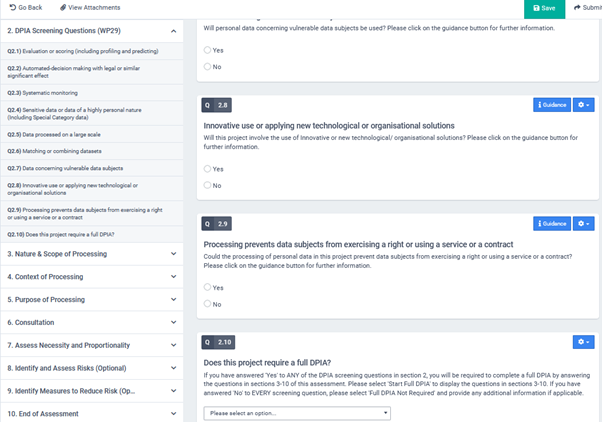
A DPIA register along with three new DPIA templates have been added to the Privacy Module. The pre-populated DPIA register, and assessment templates are loosely based on the ICO’s DPIA template. The three new assessments are listed below:
- DPIA Screening Questionnaire (Standalone)
- Full DPIA (Standalone)
- Full DPIA with Screening Questionnaire
The assessment templates include intelligent question logic to ensure only the appropriate questions appear to the respondent. The templates also allow for respondents to create new and/or link to existing Third Parties, Business Systems and Processing Activities, while also creating risk and mitigation tasks.
Enhanced Learning Experience Capability
August 19, 2021
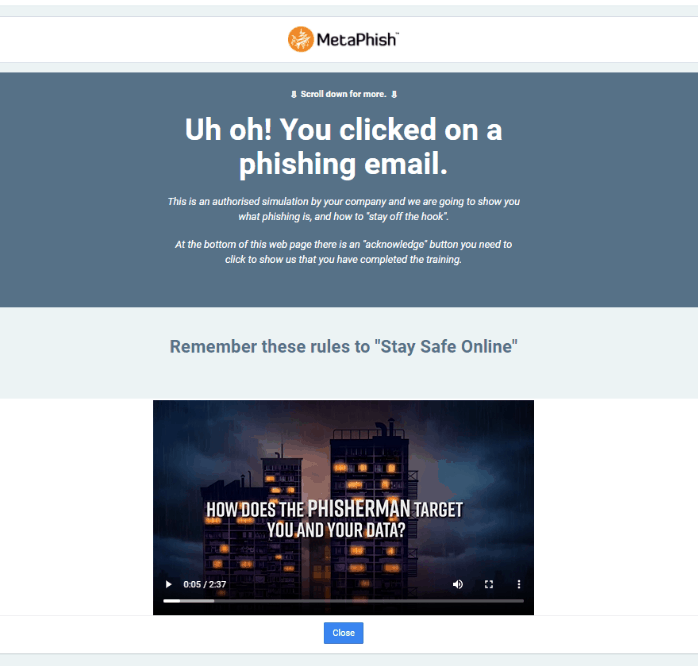
Learning Experience capability has been enhanced to enable the merge of a MetaCompliance Nano with HTML type Learning experience, or you can create your own Learning Experience and link this to a MetaCompliance Nano – double the training for any users that click on simulated phish within your Organisation!
Custom Phish Domains
August 13, 2021
The ability to send MetaPhish emails from custom Domains has been re-instated on the MyCompliance platform (Tools > Phish > Phish Domains). You can now add your required domains, submit for approval by the MetaCompliance Support Team, and once verified & approved, send MetaPhish Simulations from these domains.
Overview Report – Departmental Filtering
August 13, 2021
The latest phase of the Survey Overview Report has also now been released. The new Department filter option lets you filter the Summary table on a Department level, allowing you to view the overall activity levels of the Survey sent to the selected department.
Overview Report – Departmental Filtering
August 12, 2021
The latest phase of the Phish Overview Report has also now been released. The new Department filter option lets you filter the Summary table on a Department level, allowing you to view the overall activity levels of the Phish sent to the selected department.
Phish Remediation – Automatic Follow up with Phish Clickers
August 6, 2021
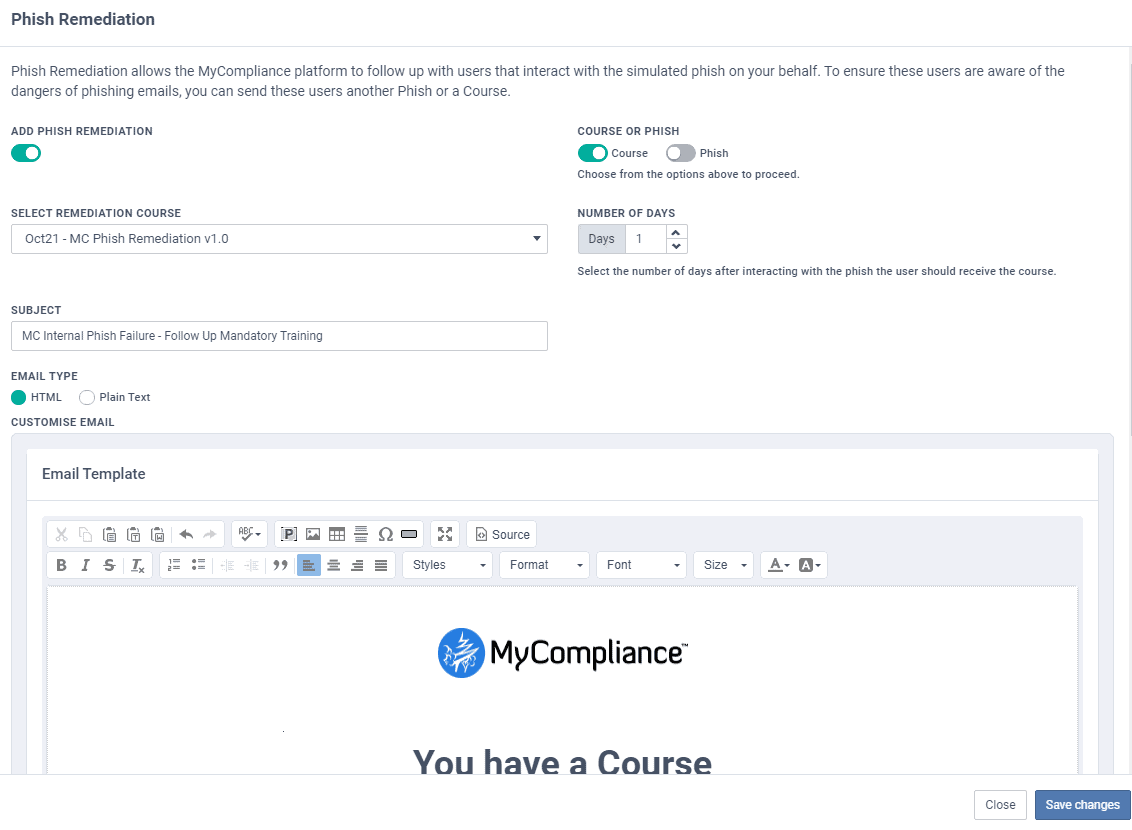
This latest Campaigns feature will enable the system to follow up with any Phish Clickers on your behalf. This follow up can take the form of another Phishing email or an eLearning Course with a tailored email notification – both of which will help to ensure your staff remain staff online and reduce the risk to your organisation of a real attack.
When adding a Phish step to your Campaign, simply select the ‘Phish Remediation’ option within the Settings area of the Step, and then enable either a Phish or Course to be sent to the Phish Clickers. All of your pre-set Campaign Content will be available for selection within Phish Remediation. Then all you have to do is choose the number of days after the user has interacted with the phish, for the system to then send another phish or a course direct to the Phish clickers.
Overview Report – Departmental Filtering
August 6, 2021
The latest phase of the Course Overview Report has also now been released. The new Department filter option lets you filter the Summary table on a Department level, allowing you to view the overall completion levels of the content assigned to the selected department. This will also be available for Phish and Survey shortly.
Gmail Phish Reporter Add-on
August 5, 2021
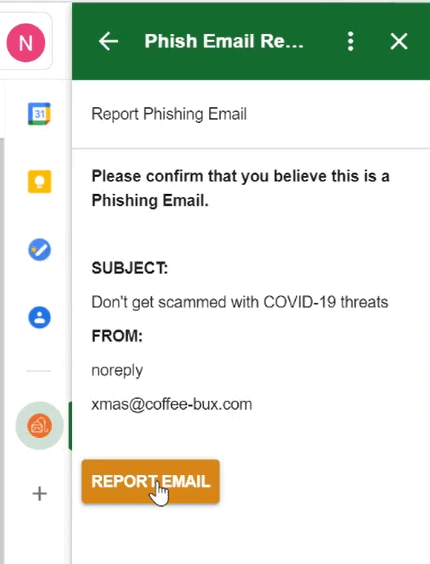
The MetaCompliance Phish Reporter Add-on is now available for use within Gmail. The tool allows end users to report suspicious emails to a dedicated mailbox, whilst also moving the reported email from their Inbox to the Trash folder. The tool also has an option to congratulate end users when they successfully report a simulated phishing email. Speak with our Support Team for further information on how to access this tool.
Overview Report – Departmental Filtering
August 5, 2021
The latest phase of the Policy Overview Report has now been released. The new Department filter option lets you filter the Summary table on a Department level, allowing you to view the overall completion levels of the content assigned to the selected department. This will also be available to Course, Phish and Survey Overview Reports in the coming days.
Phish & Survey Overview Reports
July 30, 2021
The second phase of the Overview report has now also been released for the Phish and Survey Modules. The report has a secondary option that will allow you to drill through on a specific Phish or Survey, and review the information in more detail. The User Status has also been included within the report.