What's New
MetaCompliance Knowledge Base
November 4, 2021
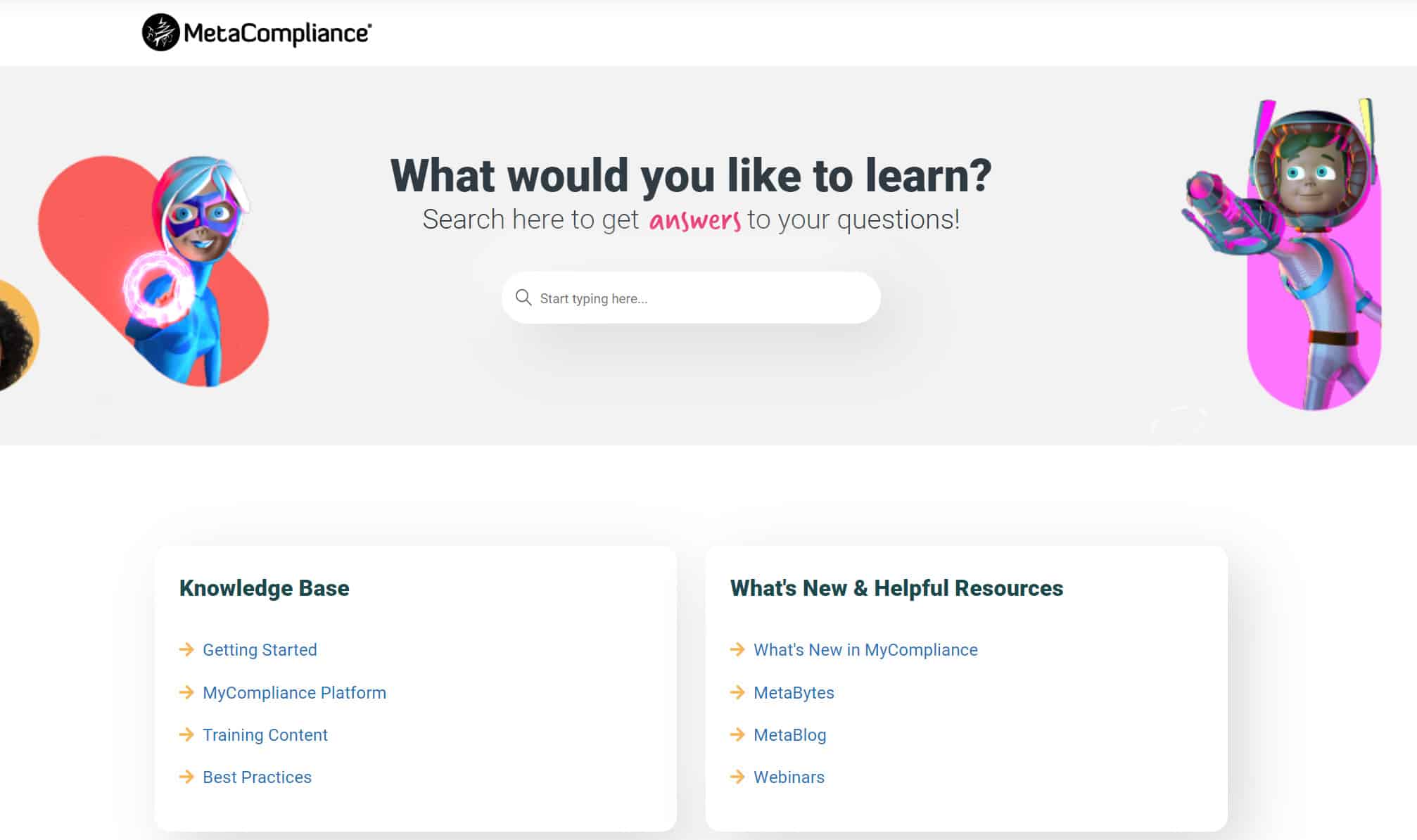
We’re excited to launch our new Knowledge Base. The Knowledge Base is driven by customer needs and aims to provide all of the information you need to make the most of the MyCompliance platform.
Using the Knowledge Base, you’ll be able to find answers to common questions, view how-to guides, and submit support tickets, all in one place.
Customer API Updates
October 20, 2021
The Customer API has been expanded to include additional detail on each user. You can now also report on the users yet to complete Policies or Courses, and users who have not interacted with Phishing Simulations.
New API calls are now available, contact the MetaCompliance Support Team for further information on this or View More.
Phish Monthly Activity Report
October 14, 2021
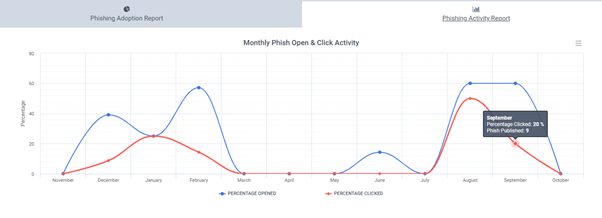
The Phishing Monthly Adoption report has been updated to display the number of Phish that have been published each month, alongside a comparison of the Open Activity versus Click Activity.
You can now track month on month, if your Open and Click rates are improving based on the Phish campaigns you are sending.
To view this report, navigate to Reporting > Phish > Adoption > then select the Phishing Activity Report tab.
Privacy Reviewer – Update to Evidence Access
October 1, 2021
Privacy Reviewers can now view evidence records and attached documents or URLs within any relevant Privacy Assessment questions. This can be accessed via the paperclip icon on each individual question.

New MetaPhish Learning Experiences added!
September 23, 2021
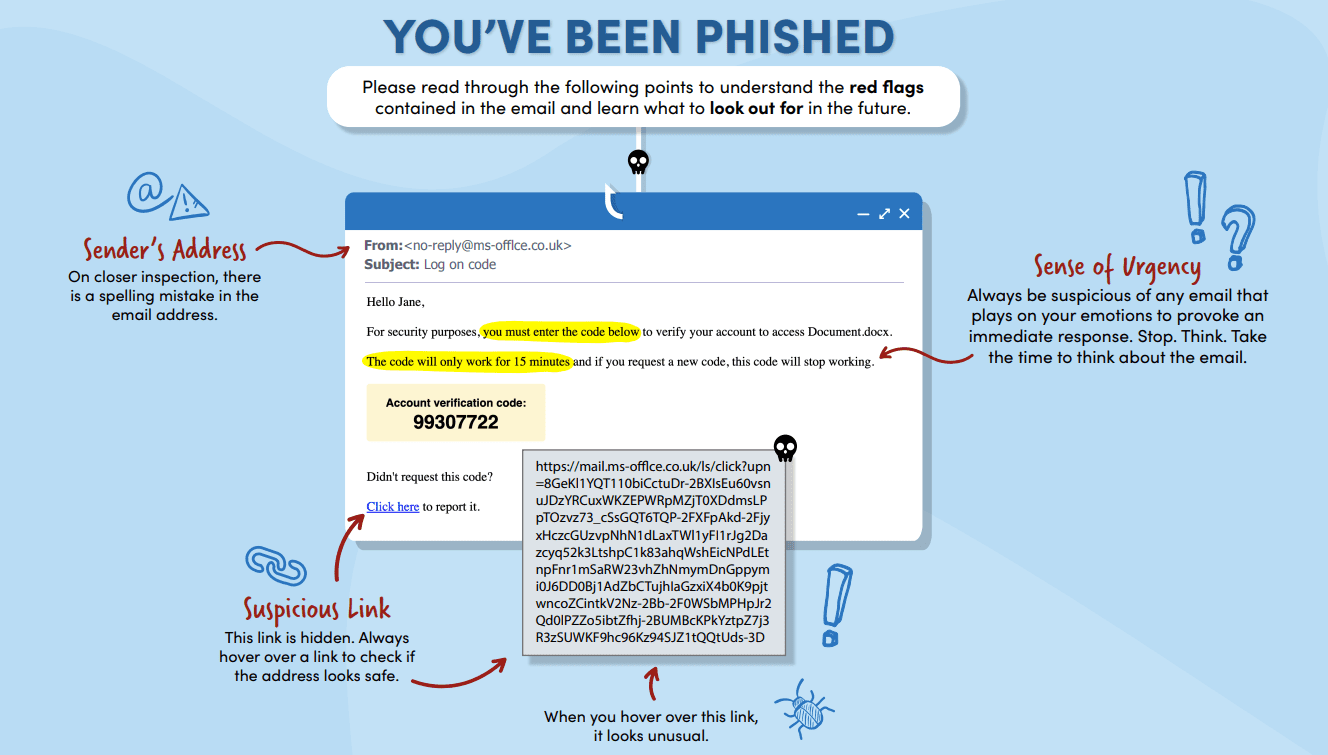
We have added 12 new Learning Experience options to the MetaPhish module. These new PDF Learning Experiences directly correlate to 12 of the MetaCompliance Email templates and highlight all of the red flags within. You can use these to communicate to any Phish clickers what they could have identified as suspicious before clicking on the link.
Company Edit upgrade & New Functionality
September 16, 2021
The Company Edit page within the Tools area has been upgraded. Features are now combined into the relevant areas to support Administrators with Platform customisation.
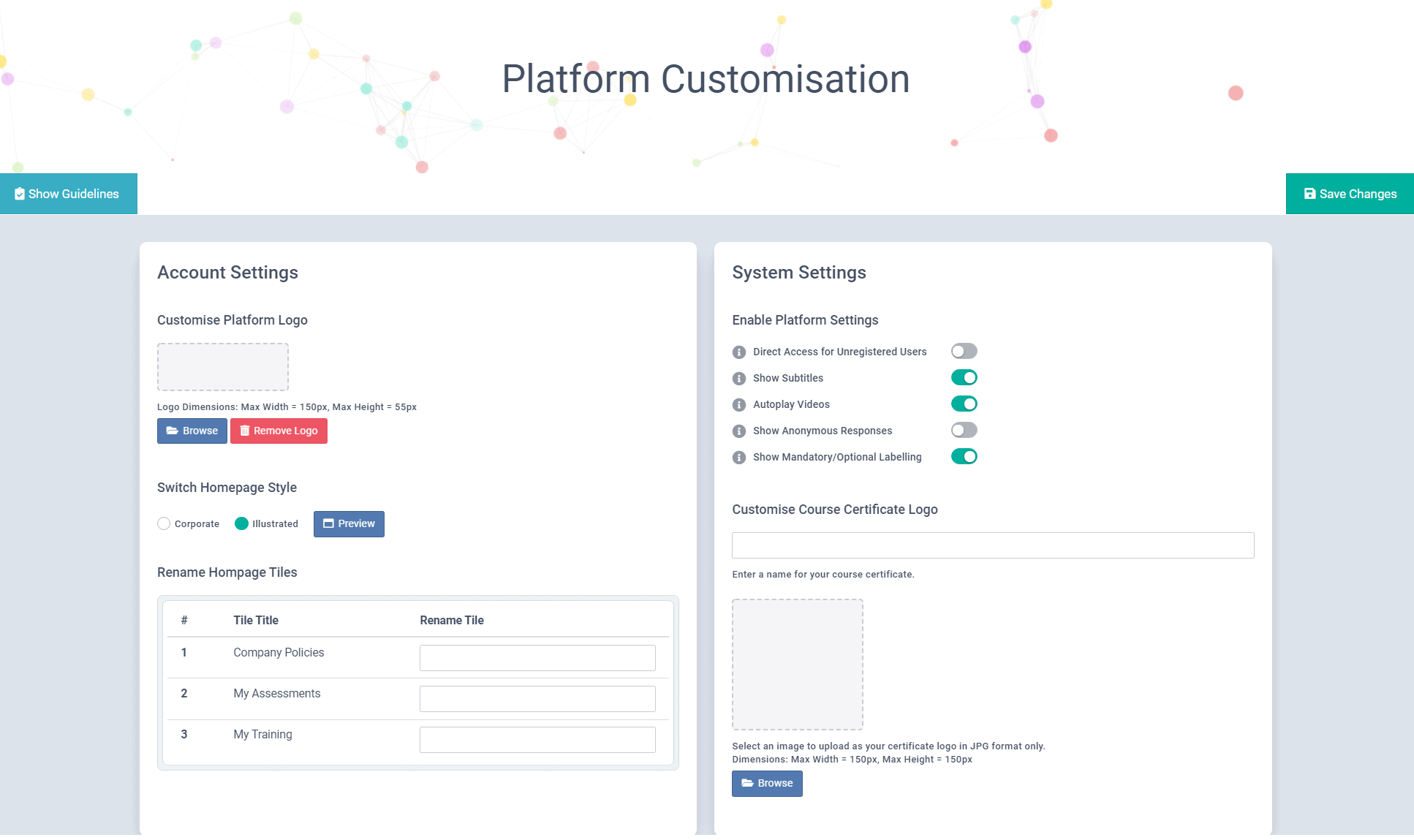
We have also added 2 new features to this area:
- Rename Homepage Tiles – Ability to rename the Policies, Assessments and Training tiles for end users, helping the platform to become more familiar to your Organisation.
- Show/ Hide Mandatory/ Options Labelling – Ability to show/ hide the Mandatory/ Optional column for end users.
Resend Privacy Assessments
September 15, 2021
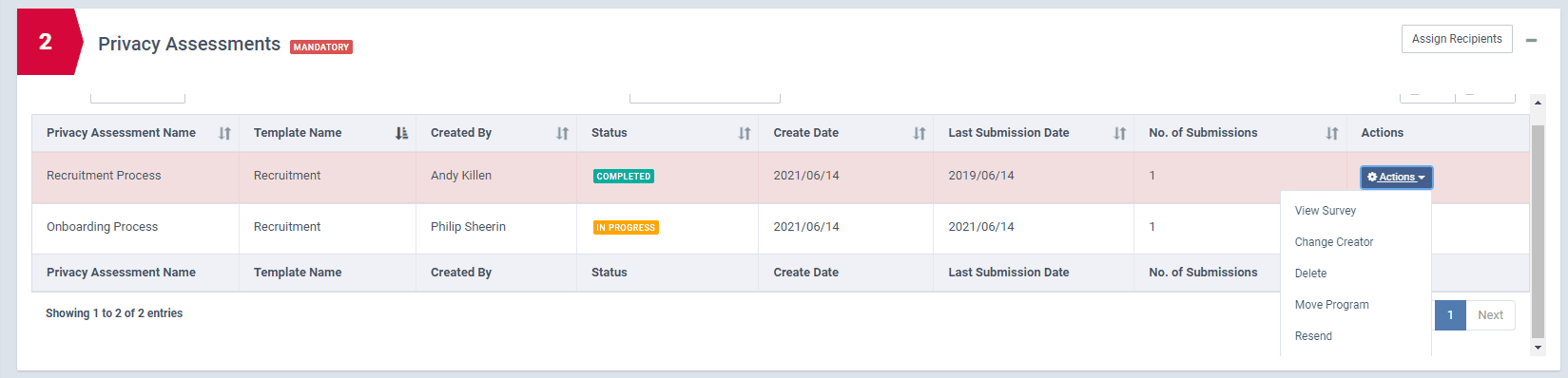
Customers now have the ability to resend privacy assessments after they have been approved by a reviewer. This is to facilitate customers that would like to review assessments on a re-occurring basis (i.e., annual reviews). Any assessments that have been submitted over 12 months ago, will be highlighted in red to indicate that an assessment may need to be resent as part of an annual review.
Overview Report – New Columns & Filter Options
September 14, 2021
The Overview Summary table has been updated to include the version number of the content, alongside the current state (Publish or Archive), with the Publish date now visible also.

If you have SCIM Provisioning enabled on your platform, you will now be able to filter results based on the SCIM specific fields, e.g., SCIM Group, SCIM Department etc.
Lastly, an update has also been added to the Supervisor data on the full audit table. You will now be able to view the Supervisors email address on this table as opposed to their First Name Surname.
These changes are now available for Policy, Survey, Course and Phish Reports.
Supervisor Email Alert
September 14, 2021
A new column has been added to the table within the Supervisor Alerts email template. This has been added to help Supervisors identify if outstanding content, assigned to their staff is Mandatory or Optional.
If you have this feature enabled, your supervisors will receive this update at the beginning of October when the next email is due to be sent.
MyCompliance Homepage
August 31, 2021
A few minor updates have been released to the MyCompliance Homepage for end users to help locate their policies, surveys or courses a little easier. Changes include:
- End user tile names updated while we work on the ability for you to rename these as required:
- Policies = Policies
- Knowledge Assessments = Assessments
- eLearning = Training
- Policies, Assessments, Training links updated to show all complete and pending content
- All module tiles: Active renamed to Not Complete
- Training Tile: Available removed, this content can be located under the Active option
- Policy, Assessments and Training tables – Column updates
- Training Tile: Media option removed; optional content still available via MyCompliance Library
Campaigns Save update
August 27, 2021
Campaigns can now be created & saved without the need to add Targets. Simply create your Campaign, add the required Steps and Save. You can then revisit at a later date to add your users!
New Campaigns Tiles
August 26, 2021
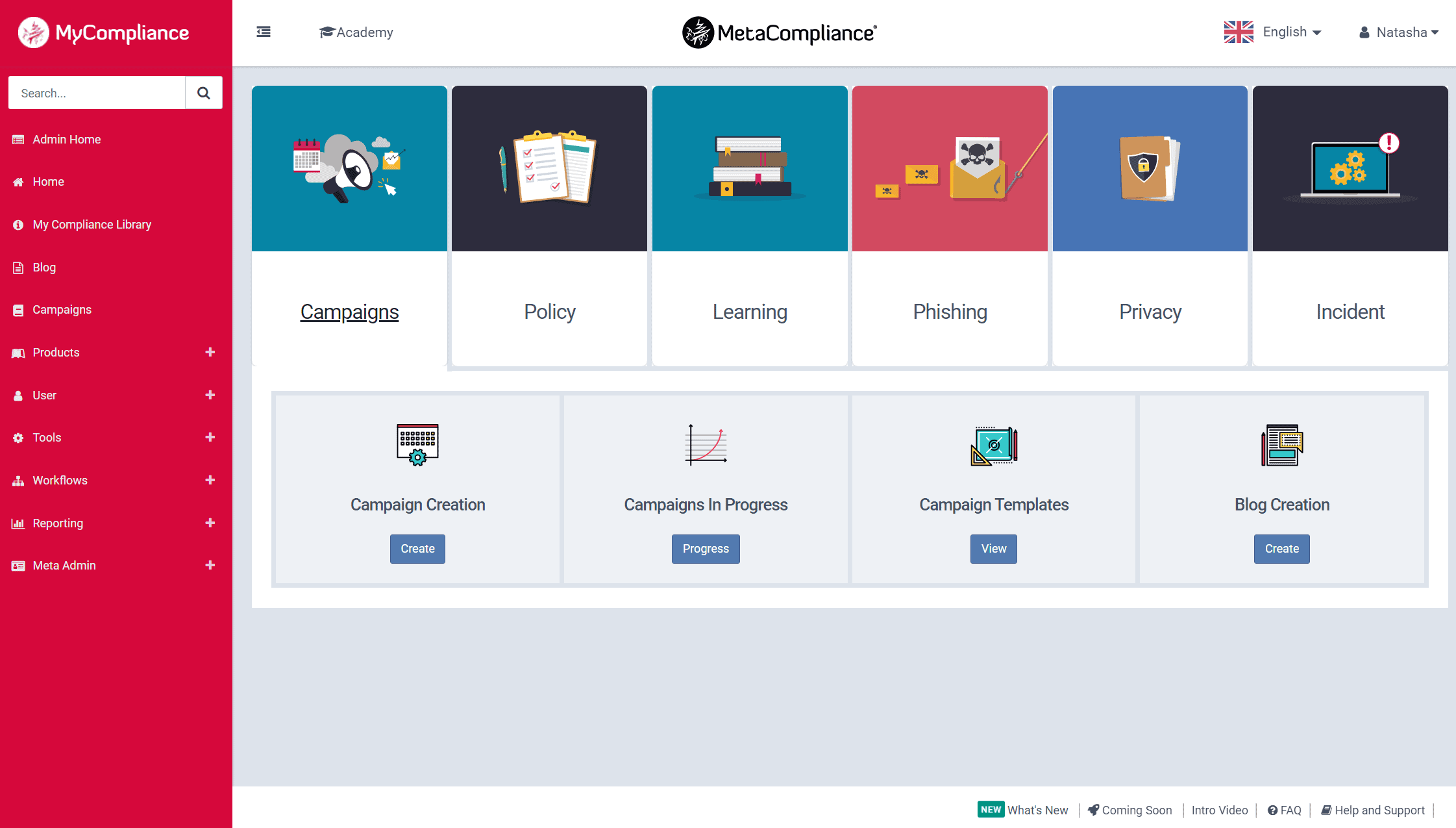
In preparation for the Campaign Templates coming to the platform, we are making a few User Experience changes to the Campaigns Module. The first change is the update to the Campaign tiles. You can now quickly create a new Campaign or view any Campaigns that are currently in progress via these new options.
You will also notice that a Campaign Templates tile has also been added – for the moment, clicking on ‘View’ will show more information on what is to come.