What's New
Increase end user notification emails from 23 to 44 languages
May 21, 2024
We are excited to improve our email template language list for end users (available for Policy, Survey & Course email template). Customers now have the ability to send the Content Alert email and Uncompliant email in the 44 languages (this includes direct access email templates).
View more here.
MyCompliance Teams App 4.0
May 7, 2024
We’re delighted to announce the launch of MyCompliance Teams App 4.0, packed with a range of fantastic features designed to elevate user experience.
Here’s what you can look forward to in MyCompliance Teams App 4.0:
- Continuation of Existing Features: Enjoy all the functionalities you love from the current MyCompliance Teams App, ensuring consistency and familiarity.
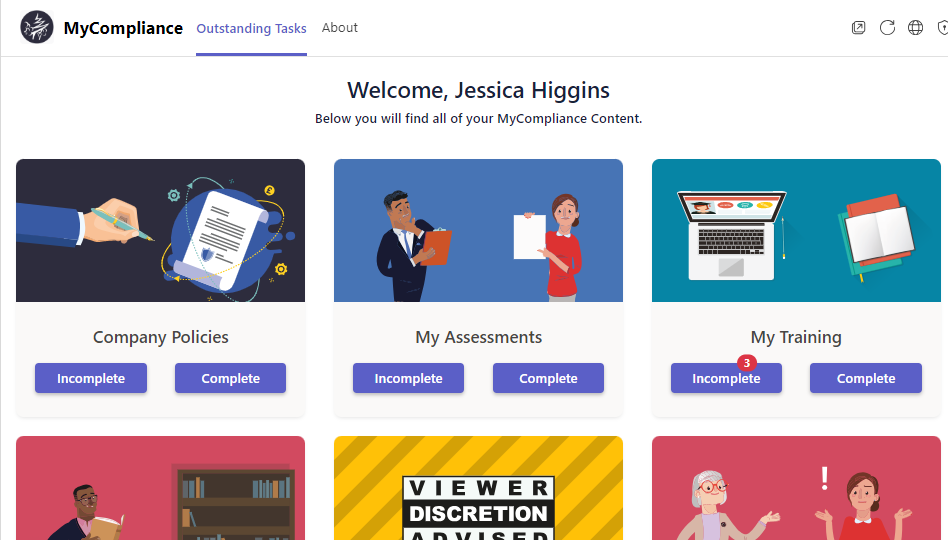
- Notifications: Stay updated with timely alerts similar to Teams chat notifications or channel notifications. These notifications will briefly appear in the bottom right corner of your screen and will also be accessible via the Activity feed within Teams.
- Viewer Discretion tile: Watch videos here in any language, promoting inclusivity and accessibility.
- If admins have opted to hide the Mandatory/Optional column on their home page within the platform, this preference will also be reflected in the app.
- Database regionalisation: Regardless of their database location, all our customers will now access the same instance of the Teams App from the store
- Essential Security Enhancement: Includes security update for APIM (Azure API Management) to strengthen the overall security of the system
Upgrade Instructions: MyCompliance Teams App 4.0 – Upgrade Process
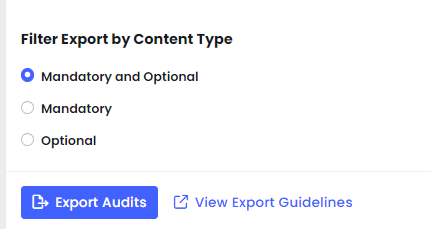
Filter ‘Export All Audits’
May 1, 2024
Now, you can streamline your exports from the Overview Reports by choosing to export audits of Mandatory or Optional content exclusively. This means you’ll only see the data that’s essential to you, making your export process more efficient and focused.
Editing if content is Mandatory or Optional after publishing
April 8, 2024
We’re thrilled to announce the ability to edit content types within published policies or courses. This means you now have the power to adjust whether content is marked as mandatory or optional.
When publishing a course or policy, the default selection for content type will now be set to mandatory. This enhancement offers greater flexibility and customisation in tailoring your content to suit your specific needs.
Effortless Updates for Live Fusion Courses with Template Updates
March 20, 2024
We’re introducing the ability to update templates in live courses. With this new functionality, admins can seamlessly update course content while maintaining the integrity of existing reports and campaign structures. By enabling minor version changes to templates, users accessing the course will automatically see the most current content.
By allowing seamless updates to live courses, admins can deliver dynamic, relevant training while preserving consistency and simplifying compliance.

Session Timeout
March 11, 2024
We have recently released a new Session Timeout feature that is designed to provide your users extra security protection by automatically logging them out of the platform if their session has been inactive for a period of time. View More.
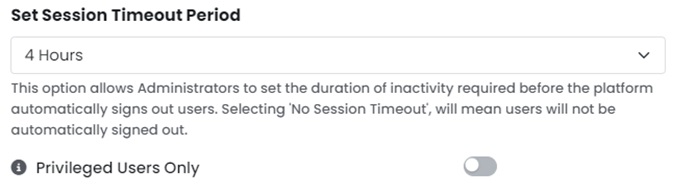
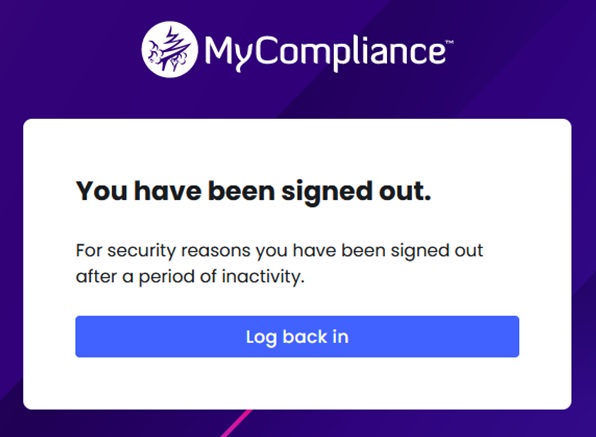
Here is what you can expect from this feature:
Customisable Session Timeout Periods: Choose the duration after which your session will automatically log out.
Enhanced Security: Protect accounts from unauthorised access by automatically logging out after a specified period of inactivity.
Timeout for Privileged Users Only: Additional option available to only timeout users who have access to increased personal or business sensitive data (such as Admins and Business users).
Seamless Experience: Customers can enjoy uninterrupted browsing without worrying about accidentally leaving their MyCompliance accounts open.
Cyber & Information Security Awareness Campaign Template in 43 languages
March 5, 2024
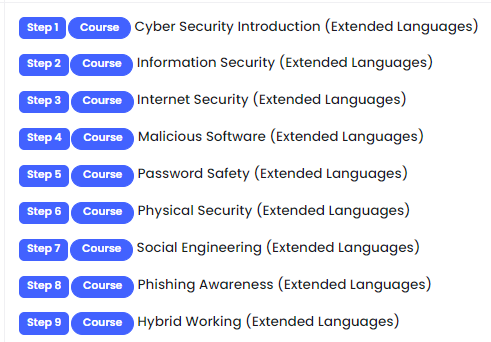
‘Cyber & Information Security Awareness Campaign’ is a new version of the Core languages Campaign template, covering 43 languages and 9 essential courses.
Perfect for customers starting their awareness initiatives, this enables Admins to effortlessly set up an all-staff campaign that covers 9 key risks with just a few clicks.
Transitioning to Local CDN for Fonts
March 4, 2024
We’re excited to announce an update to our website’s font delivery system. In our ongoing efforts to enhance performance, security, and user experience, we’ve made the decision to transition from relying on Google Fonts to hosting our fonts locally on our own Content Delivery Network (CDN). View more information here.
What you need to know:
Seamless Transition of fonts on MyCompliance Platform:
Customers should experience a seamless transition with no action required on their part.
Default Font Changes to Email Templates, Phish Templates and Learning Experiences:
To ensure consistency, we have changed the default fonts that we will be using across our Email Templates, Phish Templates and Learning Experiences.
In some email templates you may notice some small cosmetic changes to the default fonts being used, however the content and layout of our Email Templates, Phish Templates and Learning Experiences remains unchanged.
Note: If you have decided to change your fonts using the email editor, this will not be impacted by the recent changes to the font delivery system.
Update a User’s Preferred Language
March 4, 2024
We’re thrilled to introduce the ability to assign preferred languages individually and in bulk for all users. This new feature ensures that users receive email alerts in their preferred language right from the start, fostering increased engagement and adoption. View More Info
‘Long Term Leave’ Status
March 4, 2024
We’re thrilled to introduce the new ‘Long Term Leave’ status! This addition, alongside ‘Active’ and ‘Disabled,’ provides a more detailed view of user activities for accurate and tailored reporting.
Key Highlights:
- ‘Long Term Leave’ users maintain platform access ensuring uninterrupted engagement
- Relevant reports have been streamlined to ensure increased accuracy.
- ‘Long Term Leave’ users will not be deemed as uncompliant
Enhanced Accessibility
February 26, 2024
We have executed a comprehensive set of design modifications to enhance accessibility for users relying on assistive technologies. The focal areas from the WCAG guidelines that have undergone improvement include:
- 1.1.1 Non-text Content (Level A)
- 1.3.1 Info and Relationships (Level A)
- 1.4.1 Use of Color (Level A)
- 2.1.1 Keyboard (Level A)
- 2.1.2 No Keyboard Trap (Level A)
- 2.4.1 Bypass Blocks (Level A)
- 2.4.3 Focus Order (Level A)
- 4.1.2 Name, Role, Value (Level A)
- 1.4.3 Contrast (Minimum) (Level AA)
- 2.4.7 Focus Visible (Level AA)
A ‘Skip to Main Content’ button is also now available.
QR Code Phishing Simulations
January 26, 2024
We have released a major change to the Phish Module. you will now have the ability to send phishing simulations with QR codes. You can add a QR code to any existing template, create your own QR code template or use a QR code template created by the Creative Team.
Each end user will receive a unique QR code and if they scan the QR code, they will be taken to the data form (if attached) and the selected learning experience.
Any QR codes that are scanned will be captured in Reporting under the column ‘QR Code Scanned’.
The QR code will appear within the body of the email and also as a small attachment, please ensure you have allowlisting in place for attachments for these templates to work as expected.
The first 2 Creative QR Templates are now live to support this feature, available in 44 languages and with associated red flag learning experiences.