What's New
New Category Overview Report
May 21, 2022
Our new Category Overview Report helps demonstrate compliance standards to auditors. By using this report, Administrators can view, at a glance, the overall adoption levels for content across all of your Organisational Categories within MyCompliance alongside our template categories for standards ISO27001 and PCI DSS.
The interactive report allows administrators to drill down into a filtered view of the Overview Report, showing the completion stats against the content that the categories have been assigned to. View more.

Campaign Schedule Report
May 14, 2022
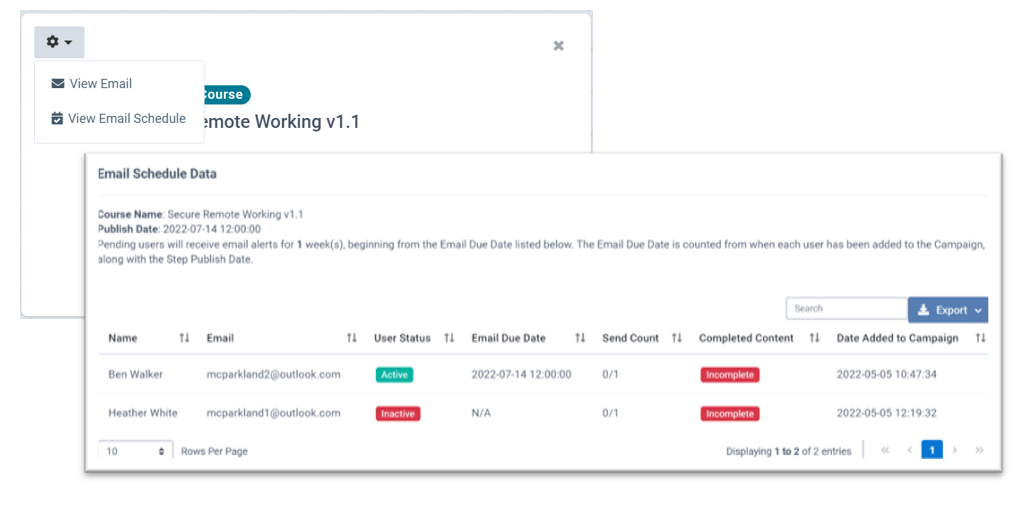
As users can be added to Campaigns at various stages, it can be difficult to determine when they will receive the email notifications. This report specifies the expected date/ time that the platform will send the Campaign email to each individual user.
You may find this particularly useful when tracking when new employees will receive their Campaign emails. View More.
Supervisor Monthly Compliance Report Update
April 30, 2022
An update has been added to the Supervisor Manager reporting to include all Uncompliant users. Users who have received all email alerts and have recently been sent an uncompliant email via the ‘In Progress’ table will now be populated on this report. View More.
New Incident Management Module
April 23, 2022
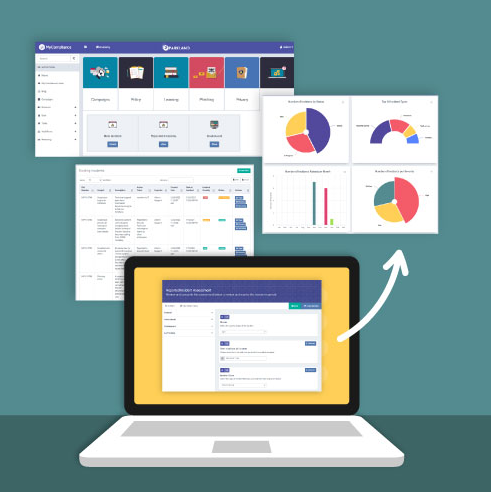
We have launched our new Incident Management Module – MetaIncident. This new module provides Administrators and End Users with an intuitive process to document incidents in order to satisfy internal governance committees and external regulators. View more.
The new features in this release include:
- Incident Assessments – Provides end users and administrators with the ability to report incidents.
- Incident Assessment Creator – Provides the ability to customise the incident assessment questions.
- Reported Incident Register – Provides administrators with a central location to manage their incidents.
- Incident Dashboard – A graphical and interactive dashboard which allows administrators drill through into deeper reports.
- Incident Field Management – Provides the ability to add/ remove fields and customise dropdown options.
- Incident Reporting – Provides the ability to customise, save and export incident reports from the platform.
Data Subject Request Module Upgrade
April 23, 2022
An upgrade to our Data Subject Request Module has been released. The Data Subject Request Module (DSAR) provides the ability for customers to manage the life-cycle of Data Subject Requests rights (access, erase, object, rectify, restrict, transfer & automated decision-making). View More.
The new features in this release include:
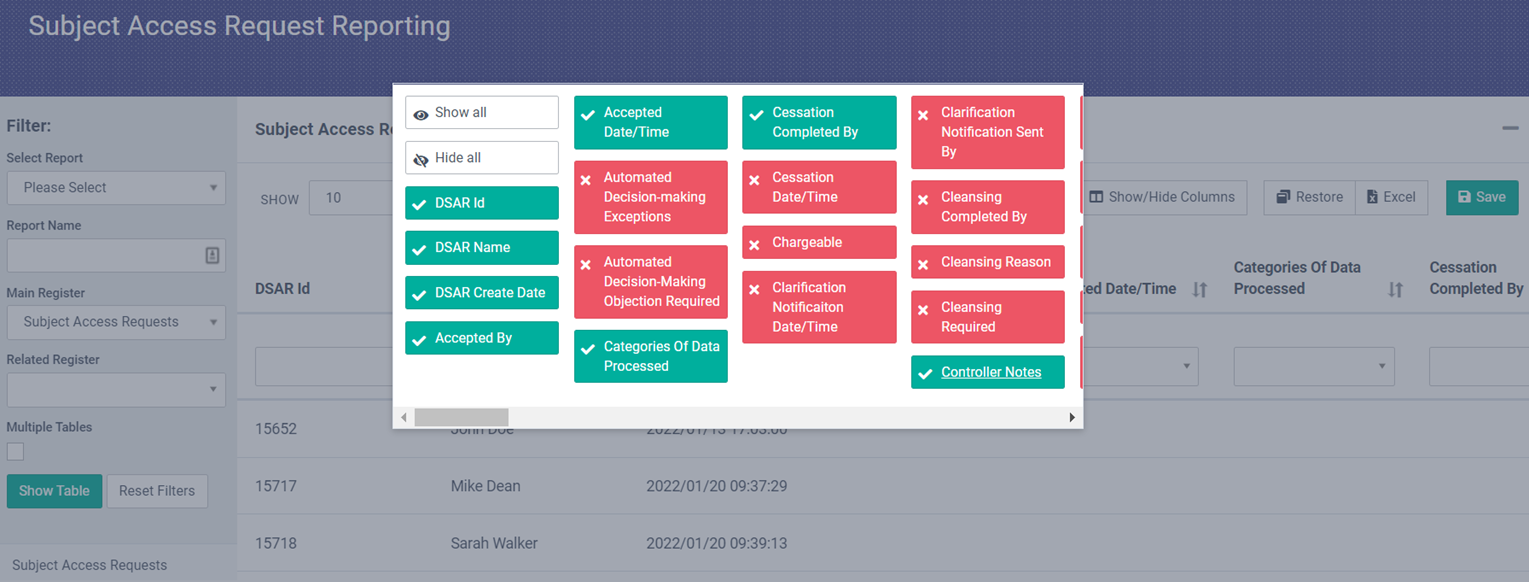
- New DSAR Register Layout – New layout changes have been applied to the DSAR register. These changes allow for fields to be separated into separate sections.
- DSAR Register Management – Provides the ability to add/ remove fields, move fields, update field names/ section headings, and add/remove dropdown options.
- Countdown Timer Start Change – When new DSAR requests are received, the 30-day countdown timer will now start from the ‘Date the Request was Received’.
- DSAR Timer Extensions – The request countdown timer can now be extended for a period of time along with adding extension reasons.
- DSAR Reporting – Provides the ability to customise, save and export DSAR reports from the platform.
Privacy Registers – Record History
April 23, 2022
We have introduced a new Record History tab to each of the privacy registers which provides customers with an full audit trail of the record. The Record History table will display the previous responses and new responses to fields along with timestamps and the email of the user(s) who made the updates. View more.

Privacy Registers – Update Record Creator
April 23, 2022
We have added the ability to update the record creator across all privacy registers. This update will allow administrators to reassign records such as Business Systems, Assets, Risks and Tasks to other Administrators or Data Champions. View more.

Fusion Course – New Administrative Feature
April 9, 2022
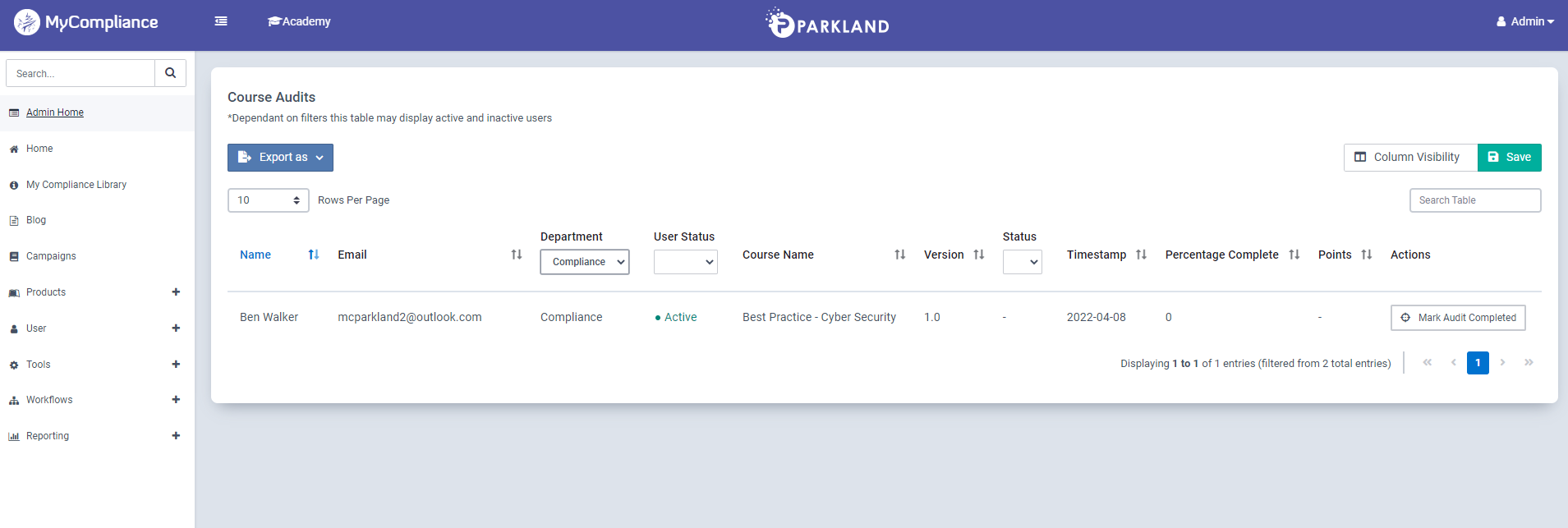
A new administrative feature has been added for Fusion courses. This feature enables Admins to mark a course as complete on behalf of an end user. This feature can be useful for courses that have already been completed via an alternative method by the end users, e.g., Classroom based training. View More.
Compliance Library – Playbooks Now Available
April 9, 2022
Playbooks can now be accessed via the Compliance Library. With this update, the Original Library view & the Take a Tour option have been retired. Users can continue to retrieve their assigned Policies, Surveys or Courses via the MyCompliance Homepage or via their Compliance Library. View More.

Phish Reports
April 9, 2022
A minor update has been applied to several Phish reports for Anonymous Phishing Simulations. Blank fields within the report will now be populated with ‘Anonymous User’.
Register Record Relationship Type Updates
April 2, 2022
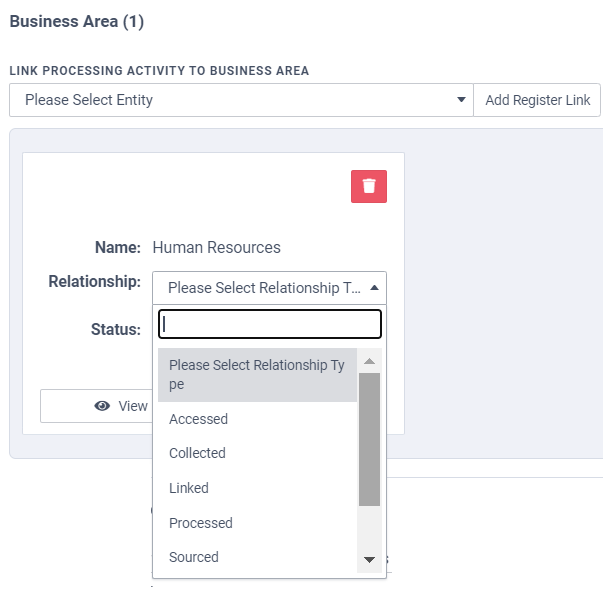
The following new relationship types have been added for the Third Party, Legal Party & Business Area registers. This will allow customers to identify the different relationships the records have with a single processing activity. View More.
- Accessed
- Collected
- Processed
- Sourced
- Stored
- Transferred
New Product – SCORM Transfer
March 26, 2022
We are excited to announce our SCORM Transfer functionality is now available to purchase! This new functionality can enable organisations to utilise Fusion courses outside of the MyCompliance platform.
Using our Fusion Course Creator, admins can have the flexibility to create unique, varied courses for specific user groups that can then be exported and uploaded onto an alternative LMS. Speak to your MetaCompliance Representative if you would like to discuss this new Product further. View More.
