What's New
MetaEngage User Experience Improvements
November 7, 2024
We have made some exciting new user experience enhancements to MetaEngage. These updates are only available on the MetaEngage v2 Client. More info here.
Here’s what’s new:
- Remind Me Later Button: Allowing users quickly snooze the client if they don’t have time to complete.
- Updated Snooze Text: Clearer messaging for users to understand what happens after they snooze the client.
- Enhanced Toast Notification: Displays outstanding content for completion and deadline when the content will ‘lock out’.

To take advantage of these updates, we recommend users restarting their machines (or scheduling a force restart) to ensure they are on the latest version of the client. These updates are only available for customers who have installed MetaEngage Client v2.
MyCompliance Teams App Homepage Translation
October 25, 2024
Global organisations often face challenges in delivering a seamless user experience and ensuring employees fully engage with compliance platforms and security tasks. Language barriers can hinder understanding of critical information, reduce engagement, and impact the effectiveness of training, policy reviews, and notifications.
To address this issue and improve engagement we have introduced the language bot on the homepage.
- Language Selection Icon: Users can now easily switch the language of the homepage and other pages, improving accessibility and engagement.
- Tailored User Experience: Employees will engage with content in their chosen language, boosting participation and adherence to compliance tasks.
These updates are available on the latest version of MyCompliance Teams App, v4.

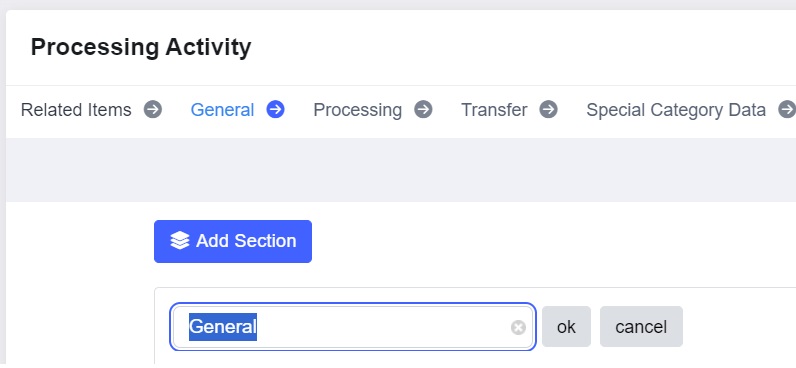
Editing of Privacy Register ‘System’ Section
October 25, 2024
We have released a minor update to our privacy module to allow the renaming of the “System” section title across all of the privacy registers.
Benefits
- Clear, accurate labelling
- Improved register management
- Consistent updates across views and exports
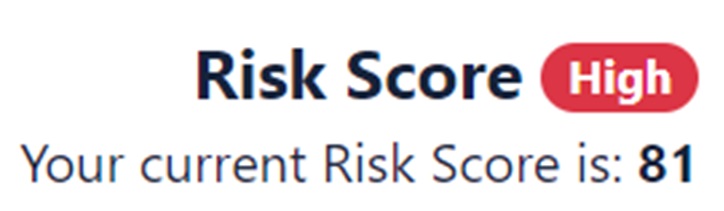
Risk Score for MyCompliance Teams App
October 25, 2024
Problem
Some customers only use the MyCompliance Teams App for completion of content. Therefore, end users lack visibility into their risk scores and this gap leaves employees unaware of their security risk to the organisation.
Solution
We have released a dedicated area within the MyCompliance Teams to display end users’ risk scores. This ensures immediate visibility without needing to access the platform directly. Risk Score will only be available for customers that have the ‘Admin & End User Dashboard’ enabled.
Features & Benefits
- Risk Score visible within MyCompliance Teams
- Seamless updates from the main platform
- Supports both light and dark modes
Company Edit Page Improvements
October 18, 2024
We’ve redesigned the Company Edit page to enhance navigation and streamline the user experience, making it easier to manage settings. Key updates include:
- Improved Layout: A new side navigation panel for the Settings, Risk Score and Platform Customisation pages.
- Colour Theme Customisation: Now featuring smaller colour dots for theme selection, with an additional option to choose a theme layout.
These changes ensure smoother navigation and make configuring platform settings more intuitive.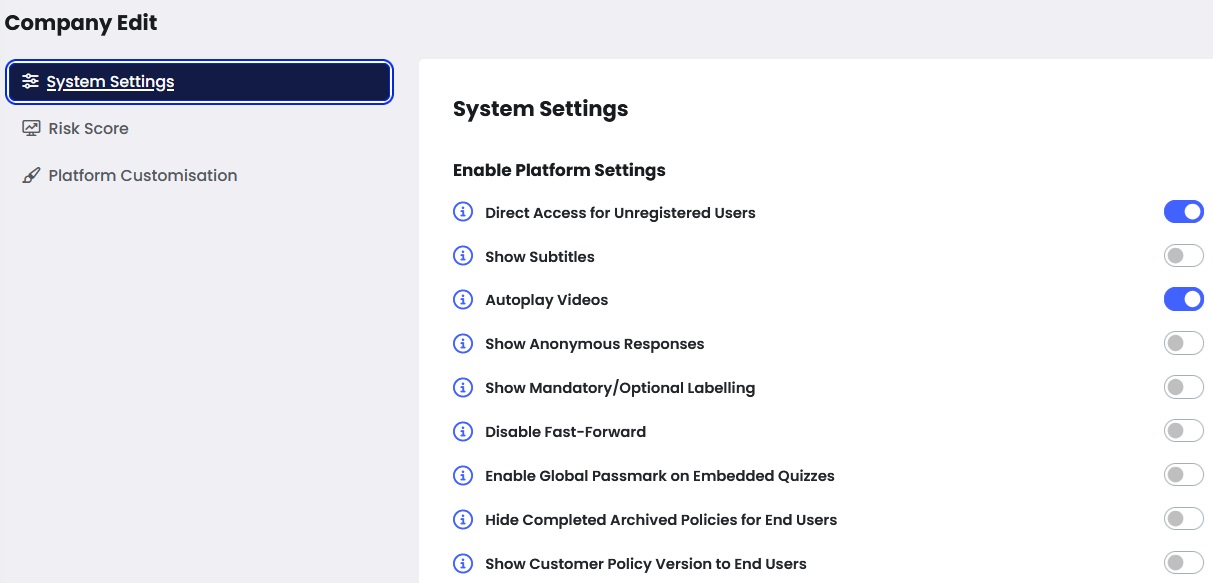
Risk Score Customisation
October 18, 2024
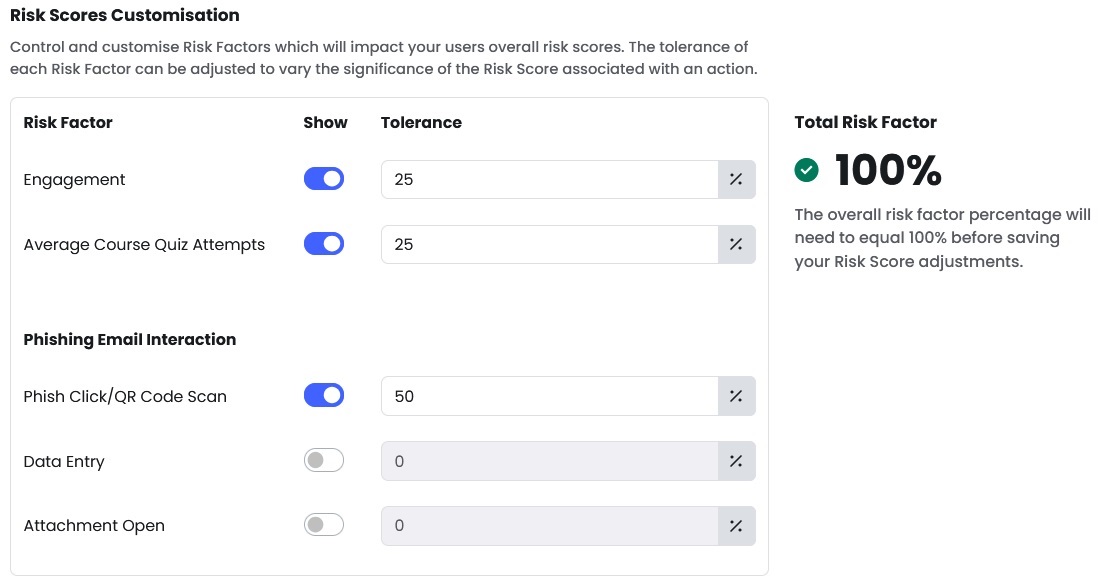
The new Risk Score Customisation feature enables customers to adjust the weighting of key risk factors, including content completion, quiz performance, and phishing simulation interactions, to help ensure the scores better reflects the most critical risks to your organisation.
Key Benefits:
- Tailor risk scoring for a more accurate reflection of employee behaviour.
- Prioritise critical factors such as phishing simulations or training engagement.
- Make informed, data-driven decisions to mitigate insider threats and address knowledge gaps.
For more information, please view the following knowledge articles:
Guidance for customising Employee Risk Scores
Updates to Employee Risk Scores
Suppression List Report
October 14, 2024
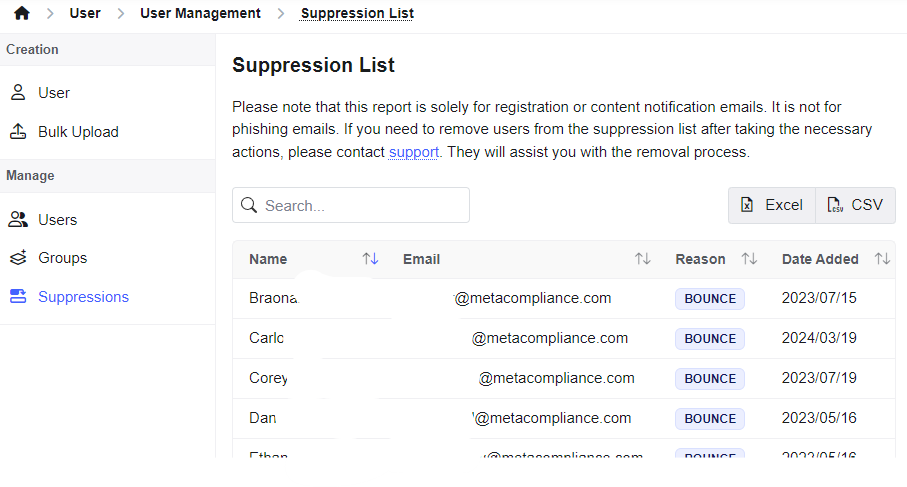
Organisations had limited visibility into their email suppression lists within the MyCompliance platform, leading to challenges in ensuring that targeted content reaches the right audience. This lack of transparency increases the risk of non-compliant conversations.
We are introducing the Suppression List report, designed to empower security leaders and their teams by providing direct access to AWS email suppression lists within the MyCompliance application (registration and content notification emails – not phishing emails). This feature enhances transparency, streamlines processes, and enables proactive management of email deliverability issues. More info here
Triggers Campaign
October 11, 2024
We’ve extended the maximum delay between steps in a triggers campaign from 5 days to 30 days. This update allows admins to create longer campaigns, such as onboarding sequences or high-touch campaigns for users who require more guidance which are crucial for reinforcing training and improving compliance over time.
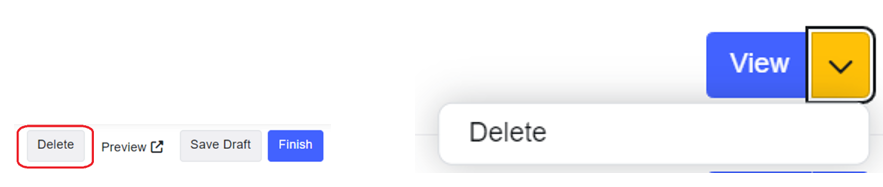
Additionally, the ‘preview’ function has been added to the first step of the campaign, allowing admins to easily review the content before it is deployed.

Fusion Generate
October 11, 2024
Admins now have the flexibility to delete fusion templates before they’ve been published. This enhancement allows for more control and reduces potential clutter from unused templates.
‘Not typical eLearning’ tile
October 11, 2024
We’ve enhanced the user experience by giving Cyber Police a dedicated and prominent space in the ‘Not Typical eLearning’ tile on the Teams app homepage. This change not only makes the content easier to find but also encourages engagement with more dynamic, story-driven security training.

Set frequency of email reminder notifications
October 11, 2024
Problem – Admins were finding it difficult to manage reminder emails effectively due to the lack of flexibility over reminder frequency and timing. These limitations made it hard to align reminder systems with internal compliance standards and escalation processes, which is critical to managing human risk.
Solution – We are introducing enhanced customisation for reminder emails, providing you with full control over when and now, how often they are sent. With this update, you can adjust reminder frequencies to weekly, bi-weekly or monthly. This flexibility allows you to align reminders with your organisation’s compliance criteria.
Value – Our admins understand the importance of timely, relevant reminders in driving compliance and reinforcing security behaviours. This update gives you the flexibility and control needed to optimise engagement with training programs that are crucial to reducing human risk.

Track Number of Attempts on a Quiz
September 27, 2024
Security leaders are increasingly concerned about how well their teams understand and retain critical security training. However, current reporting lacks insight into how many attempts it takes for users to successfully pass a course quiz. This lack of visibility makes it challenging to assess comprehension levels and identify potential human risks within the organisation.
We have introduced a new feature in the Fusion Course Analysis report that tracks the number of attempts users make to pass a quiz. This enhancement will provide administrators with deeper insights into user performance, allowing for more informed decision-making around training effectiveness and potential areas of vulnerability.
Features & Benefits:
- Detailed Attempt Tracking: Administrators can now see the exact number of attempts each user took to pass a quiz, providing a clear indicator of how well users are absorbing and retaining the training material.
- Integrated Reporting: This new data is seamlessly integrated into the Fusion Course Analysis report, displayed alongside quiz scores, making it easy to analyse performance without additional tools or steps.
- Custom and Embedded Quizzes: Whether it’s an embedded or a custom quiz, the number of attempts is tracked and reported, ensuring comprehensive coverage across all types.
- Actionable Insights: By understanding how many attempts are needed, admins can identify users or groups who may need additional support, helping to reduce human risk and improve overall security posture.

The ability to track quiz attempts provides a clearer picture of how effectively users are learning and retaining crucial security information. By leveraging these insights, you can tailor training initiatives, address potential weaknesses early on, and ultimately foster a more security-conscious culture within your organisation.