What's New
MyCompliance – NL Region
April 17, 2023
The new NL MyCompliance region has gone live. For further information on this please speak to your Customer Success Manager.
Retirement of the Phish Delivery Status Report
March 25, 2023
We have decided to retire our legacy Phish Delivery Status Report. Customers will still be able to find the status of phish deliveries via our new Phish Overview Report, which provides more columns to filter on and an overall better user experience.
Further information on the retirement of this report and how to add the phish delivery status to the Overview Report can be found here.

MyCompliance Teams App – Visual Updates
March 1, 2023
Two minor visual updates have been applied to the MyCompliance Teams App v3.1.0, App service. These changes will ensure users viewing their ‘Outstanding’ content when using any language service other than English on their device will be able to view this table as expected.
We have also added a minor visual update to the Blog, Not Typical eLearning & Incident Management tile headers & buttons to align the information presented.
User Deletion Process Update
February 11, 2023
A minor update has been applied to the Delete user functionality for email-based users. Once a request to delete a user has been submitted, the user will be disabled on the platform and then queued for deletion. It can take up to 48 hours to delete all data related to the user account (e.g. course completions, policy completions etc.)
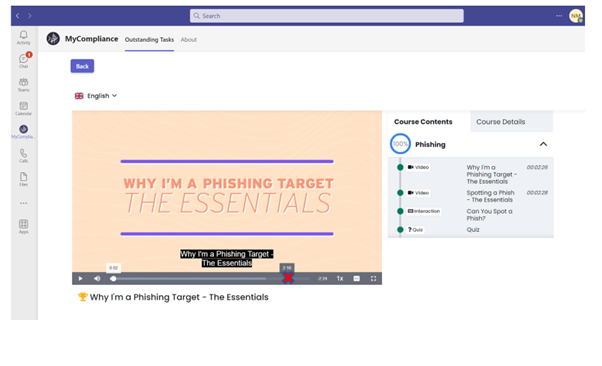
Disable Fast Forward Option within Videos
February 8, 2023
We have now added a new configuration option which, once enabled, will prevent users from being able to fast forward videos within Fusion Courses, Media Courses & Phish Learning Experiences. This will be turned off by default however you will be able to switch this on as needed. View More.
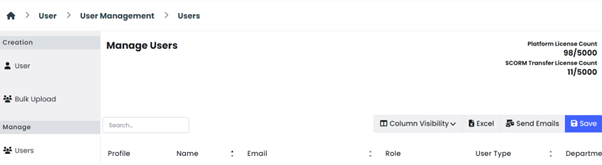
SCORM Transfer Licence Count Update
February 4, 2023
SCORM Transfer customers will notice a new update to the licence count. This is to accurately reflect the number of SCORM Transfer Licences that are in use within the MyCompliance Platform.
Cyber Police, Season One
January 16, 2023
Everyone’s A Target: The wait is over! Cyber Police, Season One, is now available!
Season One includes a gripping storyline that brings cyber security messaging to life. By making cyber threats more relatable and real to people in their everyday lives, you can dramatically improve user retention of key cyber security best practices.

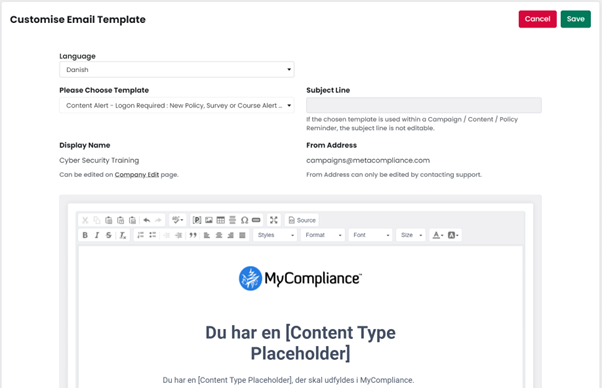
Multi-Language Course, Policy & Survey Email Alerts
January 14, 2023
We have now added the ability to send Course, Policy & Survey alert emails to end users in multiple languages. The option can be configured per course, policy or survey and currently covers a total of 23 languages.
Using this option will help to increase engagement amongst your users as they are receiving a dedicated email in their preferred language.
Further information on how to enable this new feature can be found here, and further information on how a user’s preferred language is determined can be found here.
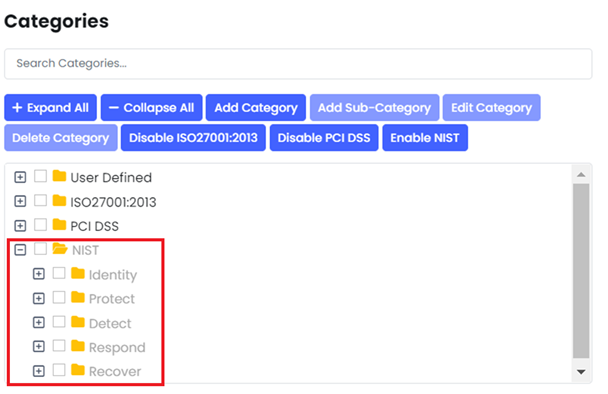
New Default Category – NIST Cybersecurity Framework
December 16, 2022
We have recently added the NIST Cybersecurity Framework (National Institute of Standards and Technology) as a new Default Category to MyCompliance.
Customers can now structure and assign their Policy, Survey, Course and Phish content across these five areas of the NIST Cybersecurity Framework: Identify, Protect, Detect, Respond and Recover. View More.
Multi-Language Phishing Emails
December 3, 2022
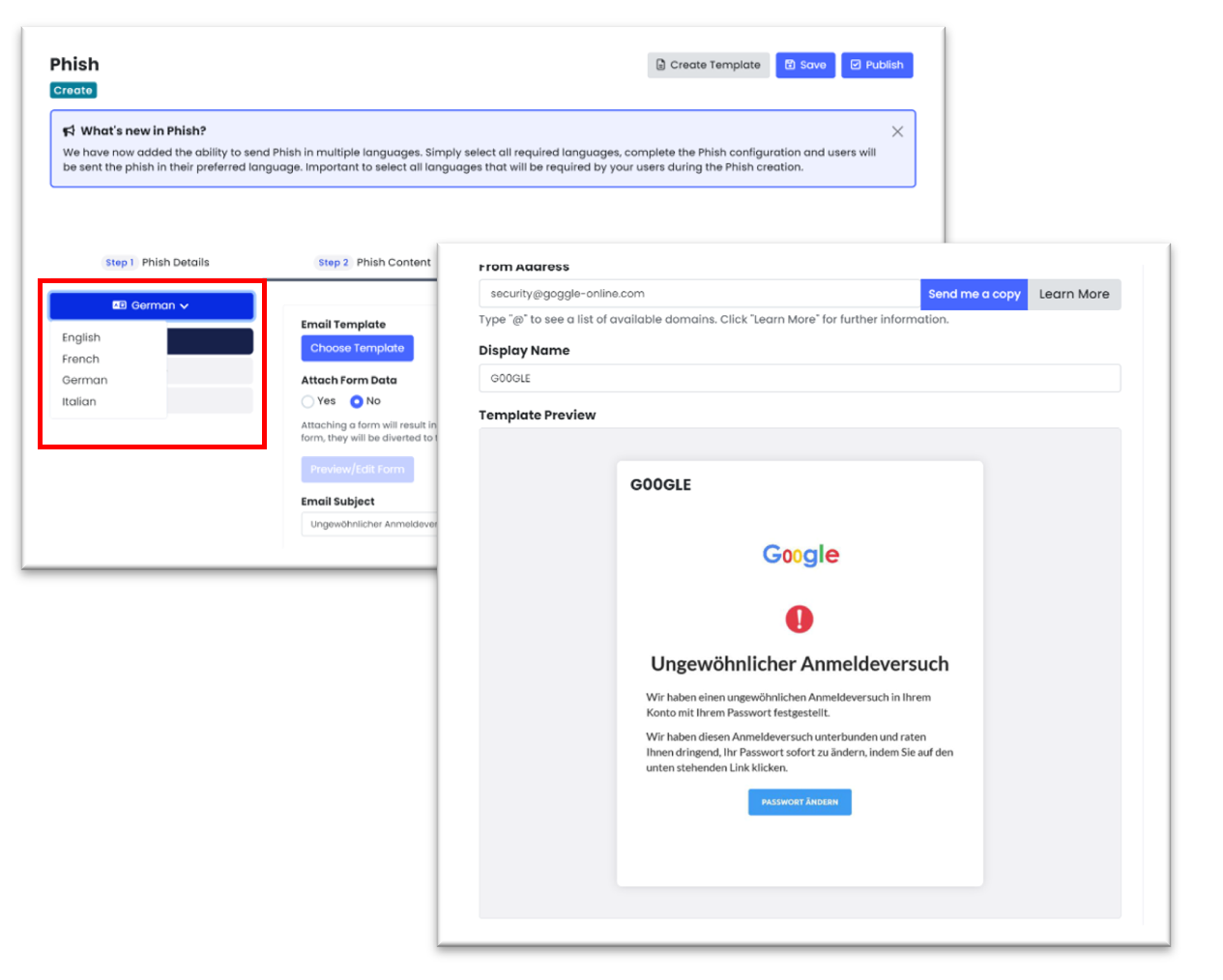
We have recently added the ability to send Phishing Simulations in multiple languages to your users. This update, along with an upgraded layout, will help to reduce the time and effort required to create simulated phish in multiple languages. Now, all you need to do is choose your languages, select your template & learning experience, and then based on your selected users, we will control the sending of the phish in their preferred language. View More.
MetaPrivacy Review Process Improvements – Reviewers can Update Privacy Assessments
November 26, 2022
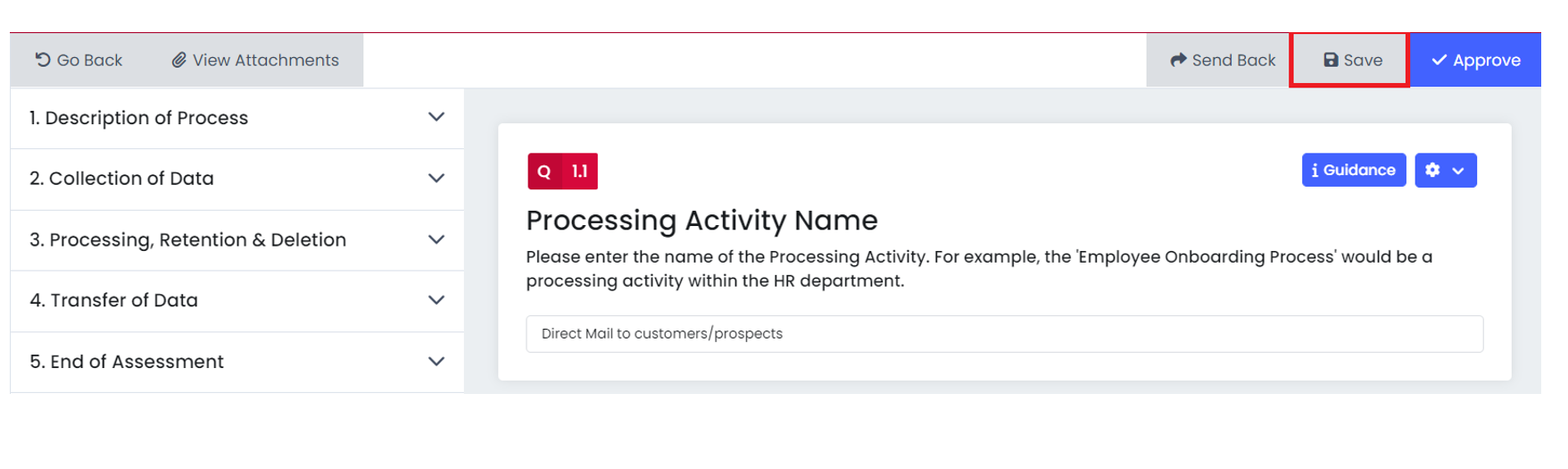
Reviewers now have the ability to add, update and save responses to Privacy Assessments. This feature allows Reviewers and Respondents to have a joint effort when submitting assessments (for example when completing DPIA’s).
MyCompliance – UK Region
November 17, 2022
The new UK MyCompliance region has gone live. For further information on this please speak to your Customer Success Manager.