What's New
Customisable Risk Score Bandings
May 9, 2025
Customers can now tailor risk score bandings to align with your organisation’s security criteria. This feature lets you define which risk scores fall into the low, medium or high risk categories, ensuring more accurate user classification. View more information here.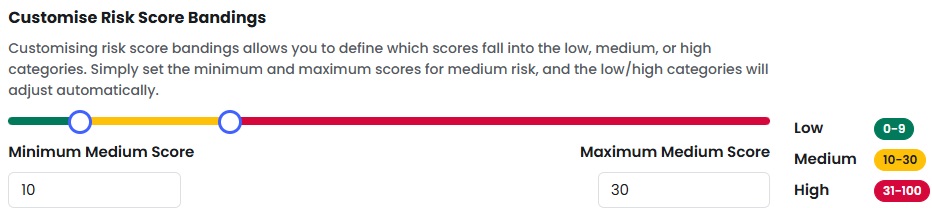
Update to create your own phish & data forms
May 1, 2025
If you choose “Create Your Own Phish” and copy one of our existing templates, the attached data form is now automatically included in the copied HTML. This makes it easy to edit and use the original form, even when customizing the email content—no need to re-add it manually.
You also still have the flexibility to create your own custom form if you prefer.

Comprehensive Phish Interaction Logging
May 1, 2025
We’ve upgraded our phish overview audits to give you full visibility into every user interaction on a phish. Instead of logging only the latest action IP, the system now records every interaction with a unique timestamp and IP address.
What’s new
- Complete Interaction History: No more overwriting—every action is logged and preserved.
- Chronological Timeline: See all user interactions in order, directly from the reports.
- Clear Differentiation: Easily distinguish between opens, clicks, reports, data entries etc.
- Download all IP logs: Download a complete list of interaction IP addresses for in-depth investigation or external analysis as needed.

Why It Matters:
Full visibility into user behaviour across multiple interactions.
Better analysis of false positives and potential vulnerabilities.
Stronger compliance with audit-ready logs.
Industry Comparison Dashboard
May 1, 2025
Admins can now benchmark their company’s employee risk score against industry peers using our new Industry Comparison Dashboard. View your performance with three key charts:
Your Average vs Industry Average
Your Average vs Other Industries
Average Risk Factor Weighting
These insights help identify performance gaps, guide risk strategy, and improve prioritisation. Your scores update daily; industry data refreshes monthly.
Available now under Risk Dashboard > Industry Comparison. View here for more information.

Custom Certificates
April 30, 2025
We’re excited to announce a new feature that allows you to upload your own PDF certificates, assign these to your courses and present these to users upon course completion.
Why This Matters:
- Brand Consistency: Maintain your brand’s identity across all certificates.
- Global Reach: Create a certificate in any language to cater to a diverse audience.
- Personalization: Ensure each certificate is personalized with the user’s details (Placeholders).
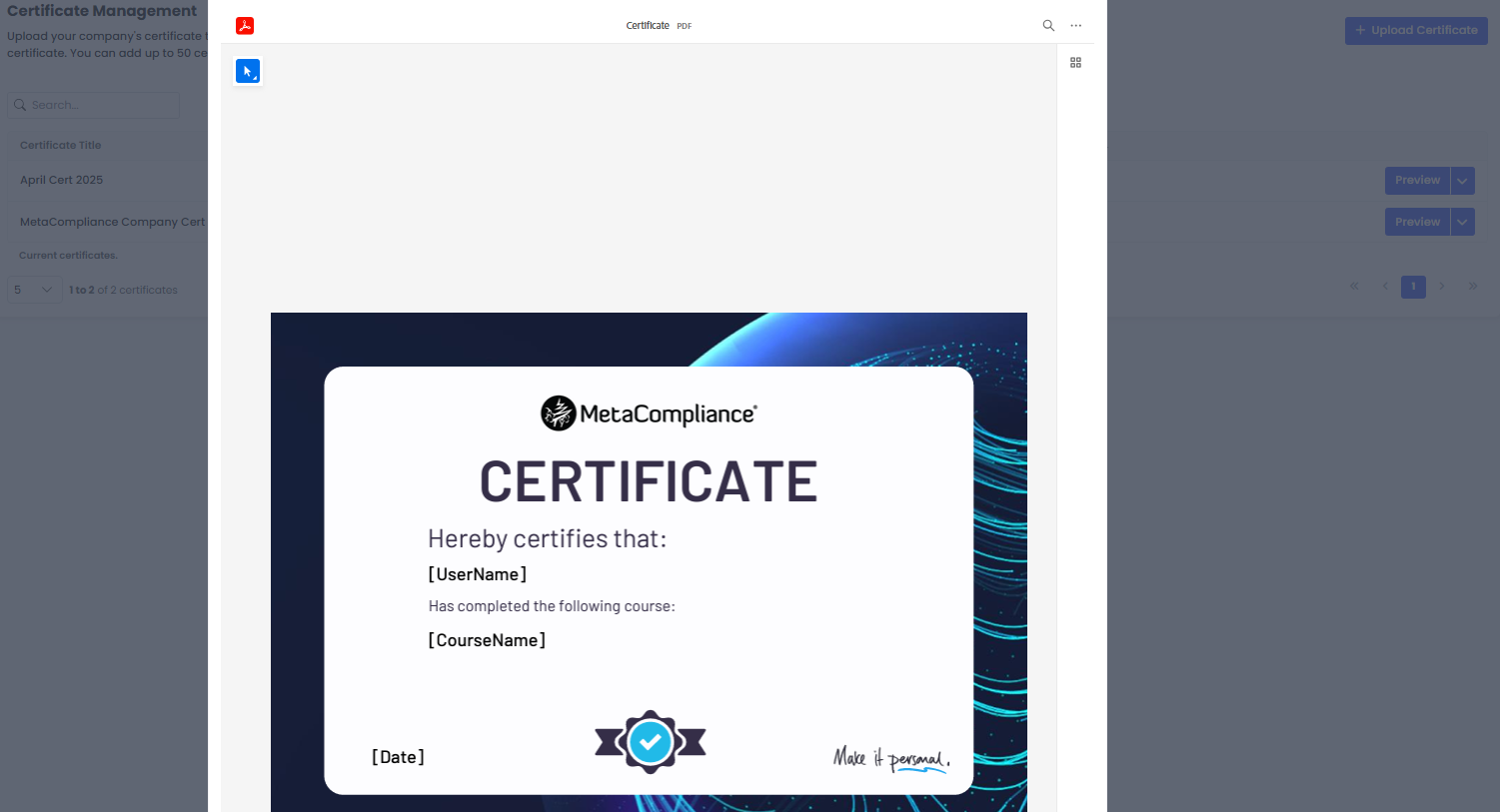
To ensure this functionality works smoothly, please embed the following placeholders as text fields in your certificate design:
- [UserName]
- [CourseName]
- [Date]
Important Reminder: Placeholders are essential for this feature to function correctly. Make sure to include them in your certificate design. More information on this feature and placeholder guidelines can be found here.
Comprehensive Overview Audit Report Fields
April 23, 2025
To make cross-referencing reports easier, we’ve enhanced our overview audits to include key user details – all in one place.
Now, when exporting audits, you’ll have access to these additional fields:
✅ Role
✅ Registered Date
✅ Username
✅ Group Name (shows you all groups a user is in)
✅ Join Date
✅ Category
With this update, you can export all relevant user and audit data from a single location – no more jumping between different reports. More info here
Further to this, an additional column has also been added to the Learning Overview report to indicate if a user completes an available Pre-test – ‘Completed Pre-test’. More info here
The ‘Completed Pre-test’ field can also be output via the Customer API if available.
Update to Export All Audits
April 16, 2025
This minor update has been made to the weekly “Export Audits” feature (available within the Overview Reports) to list the most recent audits first, instead of the oldest.
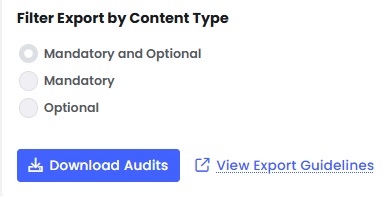
Phish Module Updates: Improved Simulations and Training Customisation
April 10, 2025
- Automatic Branding on Phish – Company logos are now automatically applied to simulations and exit summaries for a consistent experience, with the option to override per simulation. More info here
- Template-Specific Learning Experiences – Assign different training content to each phishing template, ensuring more relevant learning for users.
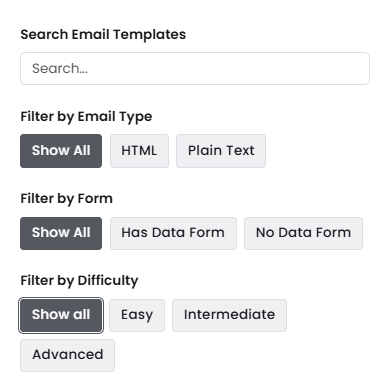
- Difficulty Ratings – Filter templates by Easy, Intermediate, or Advanced levels to align with training objectives. More info here
- Data Forms Filter – Easily identify phishing templates that support form attachments, simplifying campaign setup.
- Multi-Lingual Custom Learning Experiences – Create and manage custom learning experiences in multiple languages with a streamlined HTML copy function.
- Simplified Learning Experience UI – Policy and survey Learning Experiences have been removed to focus on the most effective training options.
Workflows
April 4, 2025
We’re excited to announce that Triggers is now Workflows, bringing a more powerful and intuitive automation experience. As part of this update, Workflows is moving to the main menu for easier access, and we’re introducing Template Workflows to help you automate key processes effortlessly.
What’s New?
Relocation – Triggers is now Workflows, accessible from the main menu.
Template Workflows – Get started quickly with pre-built automation for critical tasks.
Enhanced Automation – Set custom rules, trigger real-time actions, and streamline operations.
With Workflows, you can eliminate manual tasks, boost efficiency, and ensure seamless automation tailored to your needs. More info here
Bulk Delete Users
April 1, 2025
We’ve introduced a Bulk Delete Users feature that allows admins to upload a spreadsheet of users for deletion, streamlining the process and ensuring faster removal of inactive or unauthorized accounts. More info here
New Course Feature – Reset Progress
March 21, 2025
You can now reset progress for any user that has started or completed a course. This feature is useful if the user is required to complete the course again, or if they experienced an issue when completing in the first instance. View More.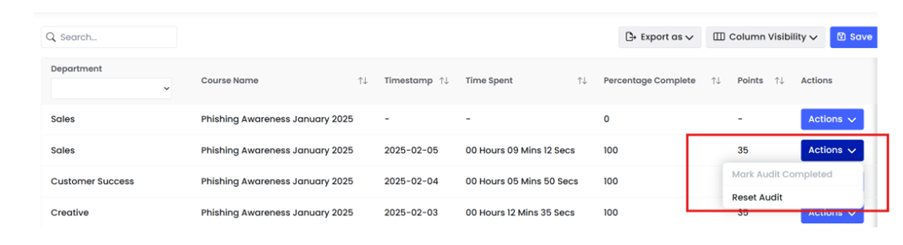
SCORM Transfer – New Versions Available
March 21, 2025
We are pleased to advise that SCORM transfer courses can now be downloaded in any of the following versions for use within a 3rd party LMS:
- SCORM 1.2 (existing)
- SCORM 2004 v2 (new)
- SCORM 2004 v3 (new)
- SCORM 2004 v4 (new)
For more information on how to export Courses via SCORM Transfer click here.