What's New
‘Make Content Private’ Available for Business Users
March 7, 2025
Business Users can now make their courses public without needing Admin support. The “Make Private” option is now available for courses and policies when the “Access Target Tree” permission is enabled for Business Users, making content management more seamless and efficient. View more.

Improved End User Homepage
March 4, 2025
Your new ‘End User Homepage’ is now live. The homepage has been redesigned to improve usability, efficiency, and align with current design trends. The new layout prioritizes critical information, making it easier to identify and address security threats.

Animated/cartoon elements have been removed to create a more professional and focused environment.
Tiles can still be renamed or removed as required via the Company Edit > Platform Customisation.
For now, the admin homepage and the Team App will remain unchanged, however we are looking forward to refreshing these areas shortly too.
Incident Rulebase
February 28, 2025
We have released an update to the Incident module called ‘Incident Rulebase’. The feature is designed to enhance incident management by allowing administrators to create custom rules for incident notifications. This ensures that only relevant individuals or teams are alerted based on specific responses, reducing noise and improving the efficiency of incident response. View more.

Video Player – Accessibility Updates
February 24, 2025
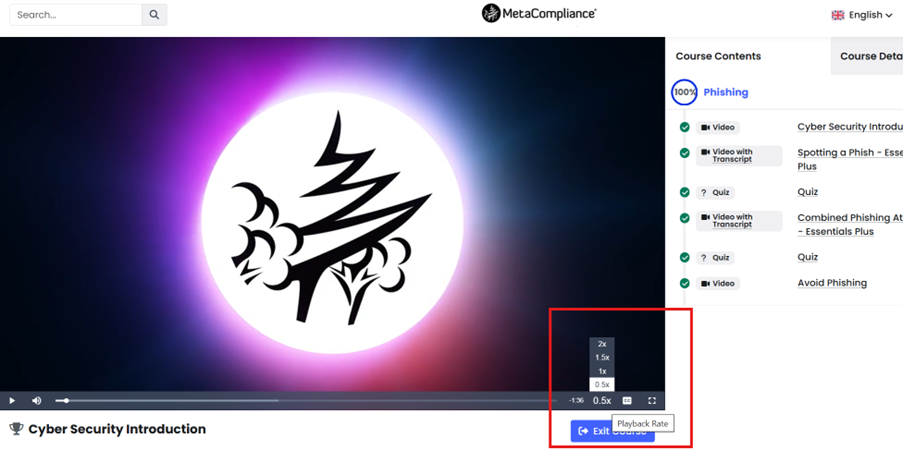
Several elements have been updated on the video player to improve accessibility. These include the ability to enable subtitles via a keyboard, and a new speed option.
Subtitle Keyboard Control – Tab, combined with up & down arrows
New Speed Option – 0.5x
Risk Score Reporting Enhancements
February 20, 2025
We have made some changes to the risk score reports to ensure a more accurate reflection of your employee risk levels:
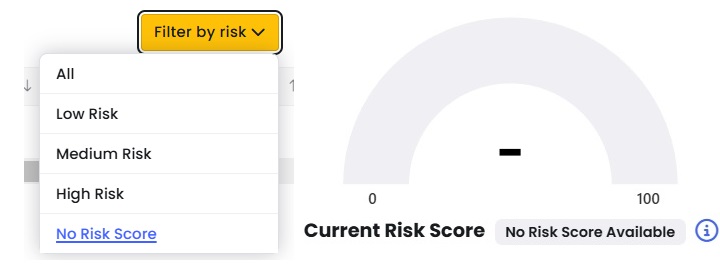
Users with No Risk Score will no longer be included in the Low-Risk segment of the Organisation Risk Levels and Preferred Departmental Training vs. Employee Risk charts.
To view users with No Risk Score, simply click on any segment of the chart, then apply the filter: Risk > No Risk Score. Users with no risk score will be displayed with a dash and users that are performing well across all risk factors will show as low risk with a score of 0. View more.
Mark Policy Audit As Complete
February 20, 2025
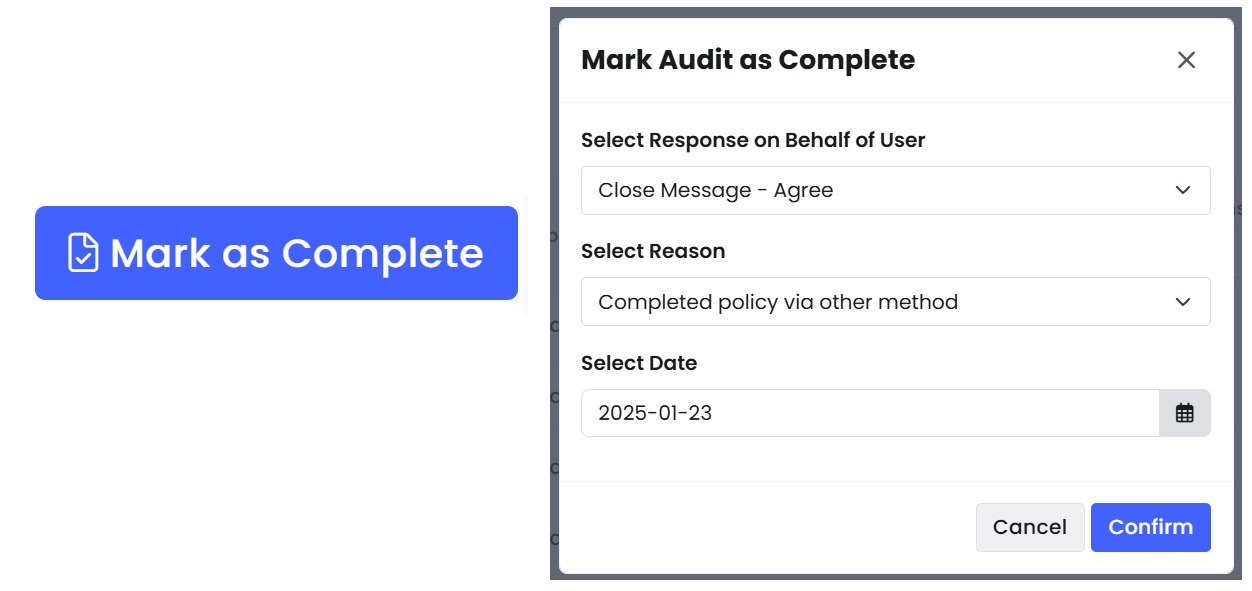
We’re excited to introduce the Mark Policy as Complete feature. This allows Administrators and Business Users to complete a policy audit on behalf of a user if they have already completed the policy outside of the MyCompliance platform.
This feature can be enabled within Company Edit > System Settings. Once enabled, Administrators can mark users policy audits as complete via the Policy Overview Report. View More.
Pause Fusion Course Playback
February 12, 2025
Fusion courses will now pause when users switch tabs or minimise their browser – ensuring, no training is missed.

Course Duration Visibility
February 12, 2025
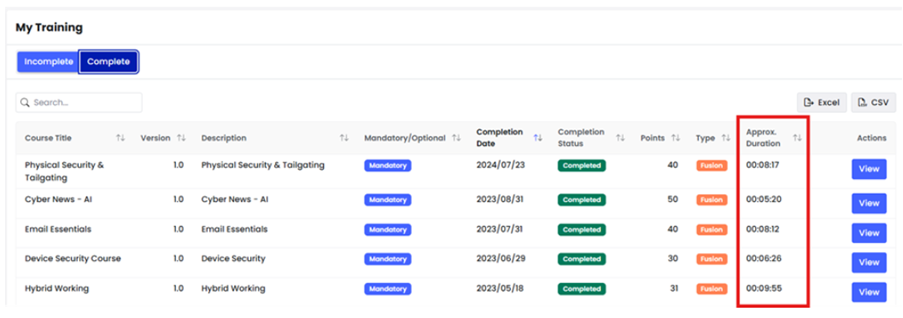
You can now set and view estimated course duration, helping users plan their training time more effectively. The Approx. Duration has been pre-populated for any published Fusion courses using a count of the duration’s of video content, however you can easily adjust this via Learning > Learning in Progress > Locate relevant Course > View > Settings tab > Approx. Course Duration > Update.
Excel Phish Attachment
February 10, 2025
We’re enhancing the Phish Module by introducing Excel attachments as a new option for phishing simulations. This provides admins with the ability to create more realistic scenarios by mimicking common phishing tactics involving Excel files.
Key Features
- Excel Attachments for Simulations
- Admins can now include Excel files as phishing attachments, expanding the variety of simulation options available.
- Realistic User Flow
- Clicking the embedded link in the Excel file redirects users to the Learning Experience selected by the admin.
- Enhanced Reporting
- User interactions with Excel attachments are fully captured and reflected in key reports
Benefits & Value Proposition
Realistic Scenarios
Simulate phishing tactics that mirror real-world threats, helping end users recognise and respond to more diverse attack methods.
Actionable Insights
Reporting provides admins with detailed visibility into end users’ interactions, enabling targeted training interventions.
This enhancement helps raise awareness about the risks of opening malicious file attachments, ultimately improving organisational security posture. More info here
Phish Reports – IP Exemption
January 24, 2025
Admins can now manually exempt specific IP addresses to enhance the accuracy of phishing simulation reports. By doing this, the system will exclude activity from these IPs, ensuring that only genuine user interactions are recorded in campaign results.
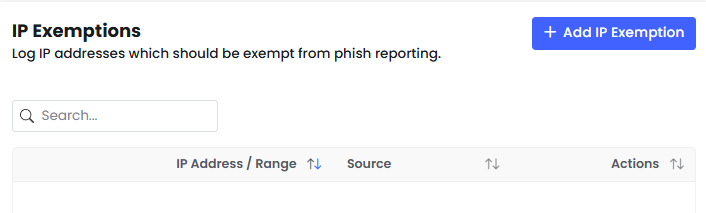
This feature resolves the issue of inaccurate reports caused by false opens and clicks generated by security vendor IPs scanning emails. With clearer insights into user behaviour, admins can confidently identify high-risk users and address vulnerabilities effectively. More info here
Policy with Attached Survey Improvements
January 23, 2025
We’ve improved the user experience when completing policies with attached surveys.
Customers will now enjoy a more streamlined process, with fewer clicks required to take when completing policies with attached survey. These updates ensure clearer instructions and provide a smoother experience.

Enhanced Platform Security with Multi-Factor Authentication (MFA)
January 3, 2025
Introducing Multi-Factor Authentication (MFA) via Authenticator App. This solution enhances the security of email-based users by requiring a second form of authentication beyond just a password.
- MFA Settings Customisation:
- Admins can enable MFA through a dropdown setting under Company Edit.
- Options include:
- MFA Disabled
- MFA for privileged users only (e.g., admins, non-end users)
- MFA for all users
- Authenticator App for MFA:
- Users will complete MFA by entering a unique code generated by an authenticator app after providing their username and password.
- Seamless Registration & Login Flow:
- Once MFA is enabled, users will be prompted to register their authenticator app during their next login.
- Future logins will include an easy-to-follow MFA step, ensuring a secure and streamlined experience.